
The homeowner's app
You keep the record of your home, and Satisfy+ tells you when something needs you.
Add your warranties, your car and the jobs you're paying for. Each date that's coming up lands on your Today screen and in a weekly email, before it passes.
Add your warranties, your car and the jobs you're paying for. Each date that's coming up lands on your Today screen and in a weekly email, before it passes.
Getting started
Your first home takes about three minutes to set up.
You answer a few short questions, one per screen, and most of the answers are already filled in for you.
The address does most of the work.
The app looks up your home's public record, so you confirm details instead of typing them.
A home with no record still works.
If nothing is found, the app asks how many bedrooms and bathrooms your home has and how big it is.
You add a photo of the front.
A picture of your home goes at the top of its page, and you can skip it and add one later.
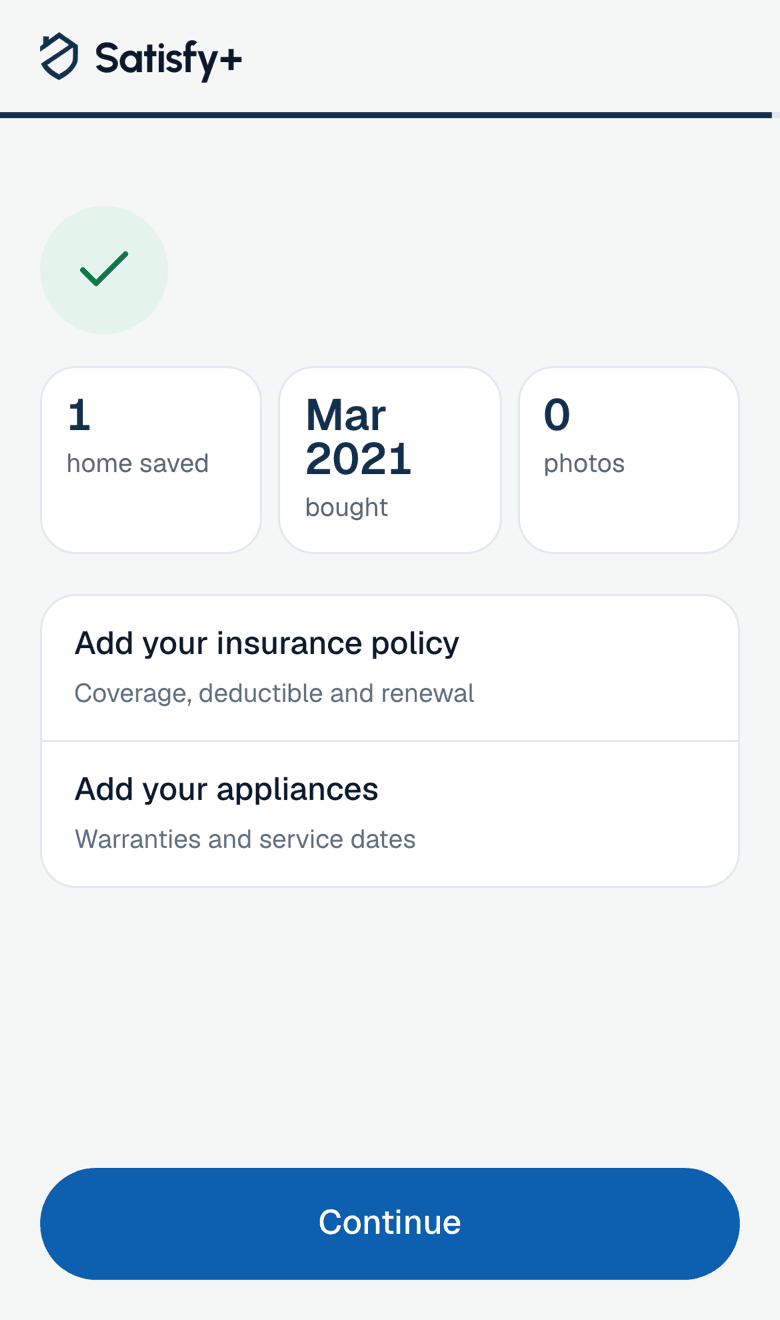
The app tells you what to add next.
When you finish, it suggests your insurance policy and your appliances, and a move-in checklist if you just bought the home.
Projects
You keep your own record of a job while it's happening, and it stays yours after it's done.
A contractor's app belongs to the contractor. In Satisfy+, you record the job yourself, so what was agreed and what you paid is on your side.
You record the signed contract.
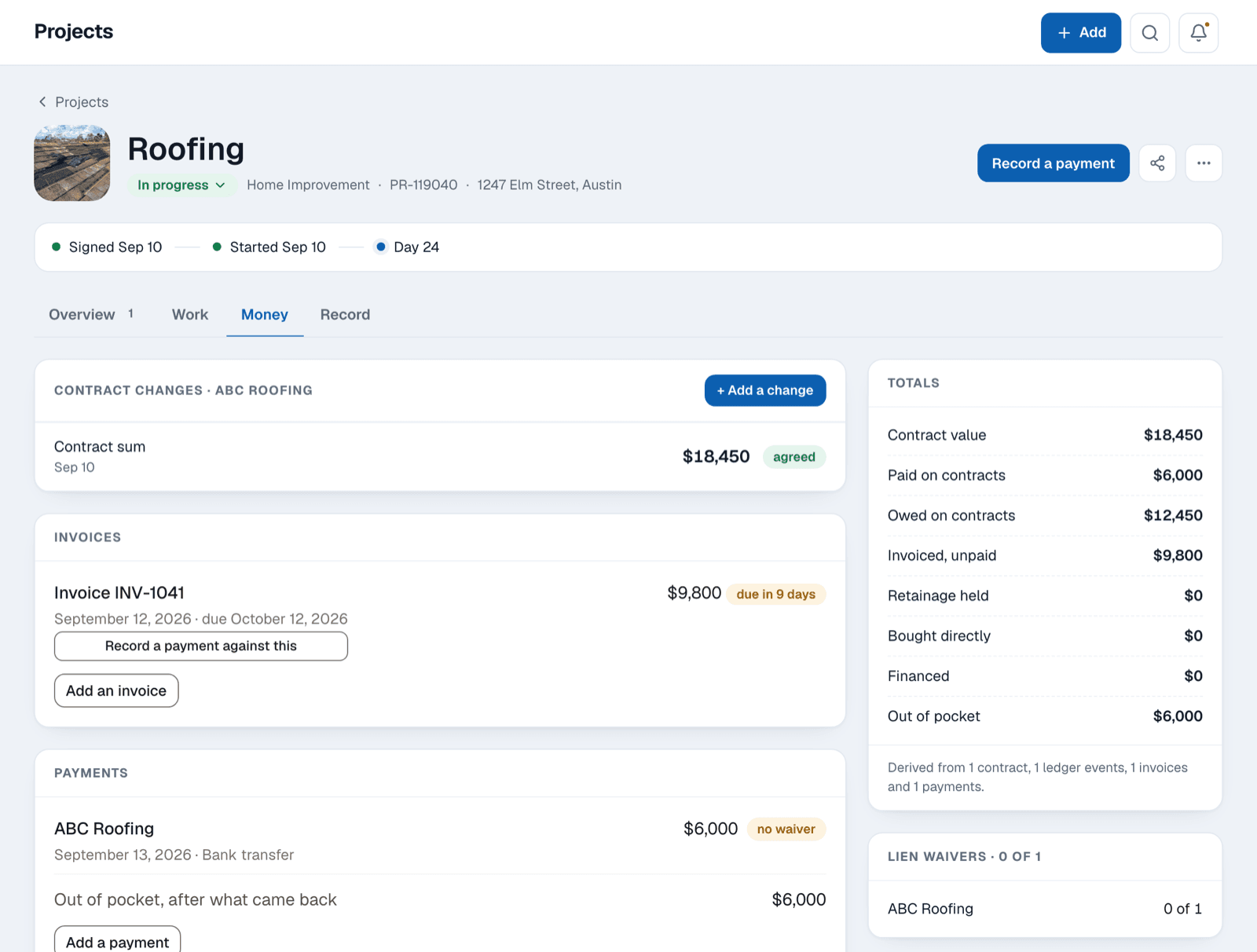
The contract and its value go on the project, so every invoice after it has something to be measured against.
You see what you've paid and what you still owe.
Each invoice and payment is on the job, and you can split one payment across several invoices.
You write down changes as they happen.
Each journal entry keeps the day it happened apart from the day you typed it.
You collect lien waivers as you pay.
The app lists who could file a lien on your home and which waivers you hold for each payment.
Deadlines
Satisfy+ reminds you before a warranty, a car date or a tax deadline runs out.
You register a warranty in time.
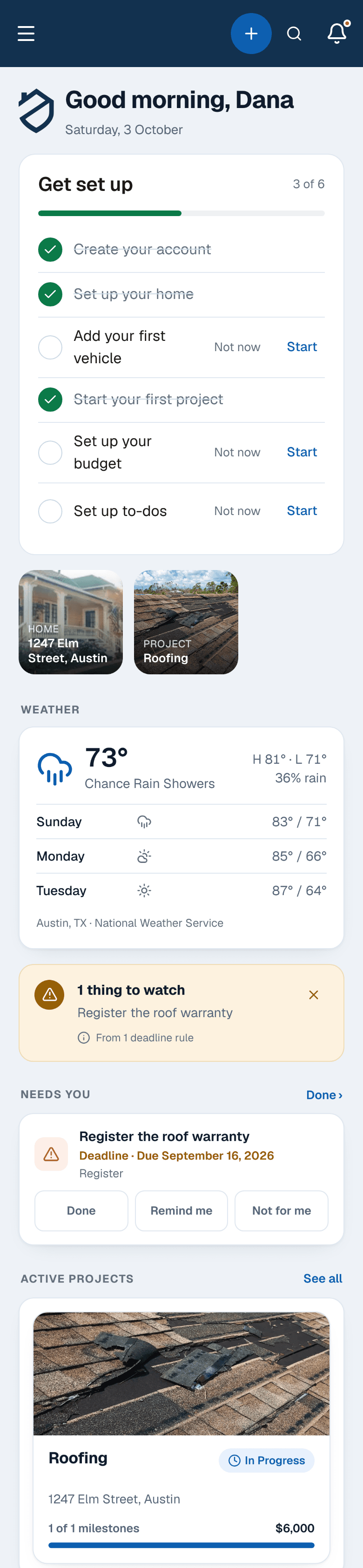
When a new roof or furnace has a deadline to register its warranty, the app puts that date on your Today screen.
You know when each warranty ends.
The app keeps every warranty on your home with the date its cover runs out.
Your car's dates come up before they're due.
Registration, inspection and a temporary tag after you buy each show up ahead of time.
You catch the tax appeal window.
When you record your assessment notice, the app reminds you before the deadline to appeal it closes.
Your home
You answer questions about your home from the record instead of from memory.
Buyers, contractors, insurers and tax preparers all ask about your home sooner or later. Satisfy+ keeps the facts they ask about, so you look the answer up instead of guessing.

A buyer asks how old the roof is.
Your home's record holds the roof's age and where that fact came from, so your answer has the record behind it.
An electrician asks what panel you have.
The panel has its own photo in your home's record, right next to the shutoffs and each room. You show it instead of describing it.
Your insurer asks what your policy covers.
Your policy's limits and deductibles sit on your home, with the declarations page attached. You read the answer straight off it.
Your tax preparer asks what you've improved.
Each improvement is recorded with its IRS category and what it cost, so you hand over a list instead of a box of receipts.
Household
Everyone who helps run your home works from the same to-do list.
On Home+, you share your home with the people who live there or help out. Each to-do then carries a name, so nobody wonders whose job it is.

You assign a to-do to anyone on the home.
The picker lists you and every person the home is shared with, so each job goes to someone by name.
Helpers tick off what they've done.
Someone with the act role completes a to-do and adds a note, so you know it's done without having to ask.
Each to-do shows up where it belongs.
A to-do for the car appears on the car and one for a project appears on that project, so each person finds their part.
You share the budget with the people you pick.
Tick the budget area for a partner and you both see money in, money out and what's left each month.
Sharing needs Home+ on the homeowner's account. To act or manage, the person invited needs Home+ on their own account too.
Plans
The Home plan is free, and it holds the whole record for one home.
Home covers one home, one active project and one vehicle, with every checklist and every reminder. You move up to Home+ when you add more or want to share, and your first month of Home+ is free.
| Home | Home+ | Home+ Duo | Home+ Family | |
|---|---|---|---|---|
| Homes, projects and vehicles | One of each | Unlimited | Unlimited | Unlimited |
| People who manage | 1 | 1 | 2 | Up to 6 |
| Share a home by email | No | Yes | Yes | Yes |
| Bring back an archived home or car | No | Yes | Yes | Yes |
The first month free is for a new account on monthly Home+, started on the web with a card. Home+ then renews automatically until you cancel. The price and terms are shown in the app before any payment is taken.
Start free, and you'll see the next thing your home needs before it's due.
Add a warranty, a policy or your car, and each date it carries shows up on Today with the one thing to do about it.
